How to make an animatic
By Buford Taylor, who runs Casting Call Club. Updated October 2026.
An animatic is the cheapest way to find out if your animation works before you spend months animating it. It's your storyboard drawings timed to the dialogue, music and sound, played like a video. Around 500 animatic projects a year cast their voices on Casting Call Club, so here's how the people making them do it.
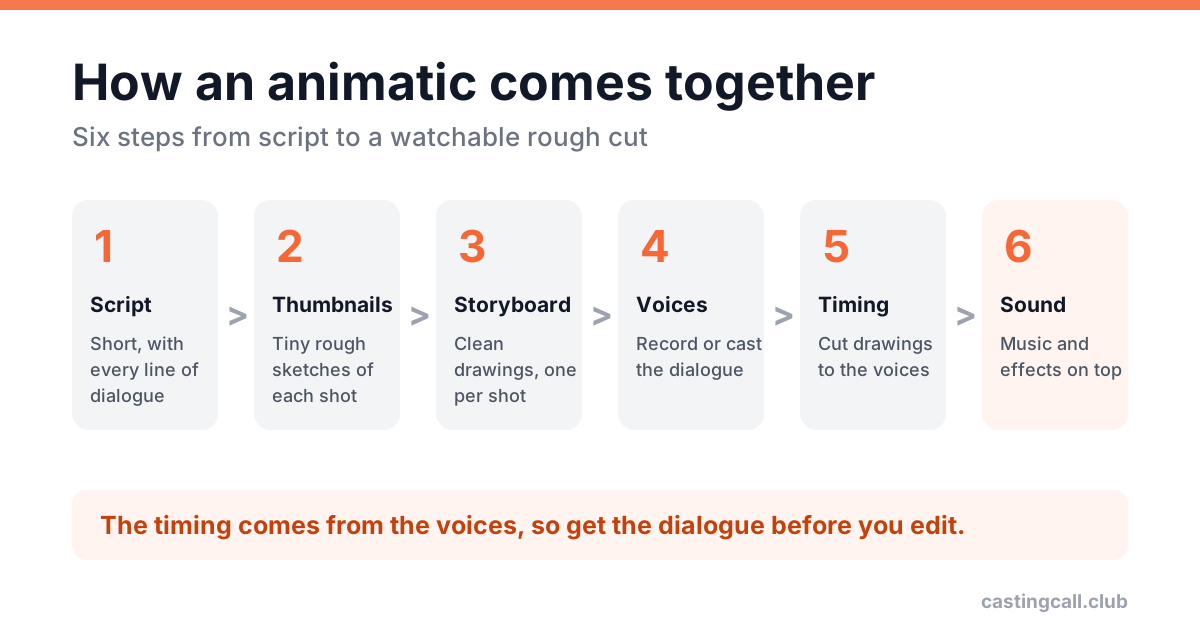
1. Start with a short script
Write the scene or the song first. Keep your first animatic short: one scene, or 30 to 90 seconds of a song. A finished minute teaches you more than an unfinished ten.
2. Thumbnail it
Scribble tiny, messy boxes for every shot: who's in frame, where the camera is, what moves. This is where you fix the story, so don't polish anything yet.
3. Draw the storyboard
Turn the thumbnails into readable panels. Clear poses and expressions matter more than clean lines. Add extra panels for big movements so the action reads when it's played back.
4. Get the voices
The timing of an animatic comes from the dialogue, so you need it before you cut anything together. Plenty of people record a rough read themselves, time the animatic to that, then cast real voices once it works.
- Cast on Casting Call Club. Post each character with art and two or three lines from the actual script, and actors audition right on the role. Here's how to write the casting call.
- Send the timing. Once you've cast someone, give them the rough cut so they can match the pacing.
- Song animatics (the classic "OC animatic" set to a musical number) need a singer, or permission to use the original track if it isn't yours.
5. Time it on a timeline
Drop the panels and the audio onto a timeline and drag each drawing until it lands on the right word. This is the actual animatic. Watch it over and over, and cut anything that drags.
6. Add music and sound
Footsteps, doors and a music bed make rough drawings feel finished. Keep the voices clearly on top.
Free tools that work
| Tool | Good for |
|---|---|
| Krita | Drawing panels, with a simple animation timeline built in |
| OpenToonz | Drawing and timing in one place |
| Blender (Grease Pencil) | Drawing in 2D with camera moves |
| DaVinci Resolve or CapCut | Timing finished drawings to audio |
When it's done
Post it, credit your cast by name, and send them the link. Voice actors share the projects they're in, and a finished animatic is the best proof you'll finish the next one. Need a hand with the drawing? Animators and storyboard artists are on the site too.